
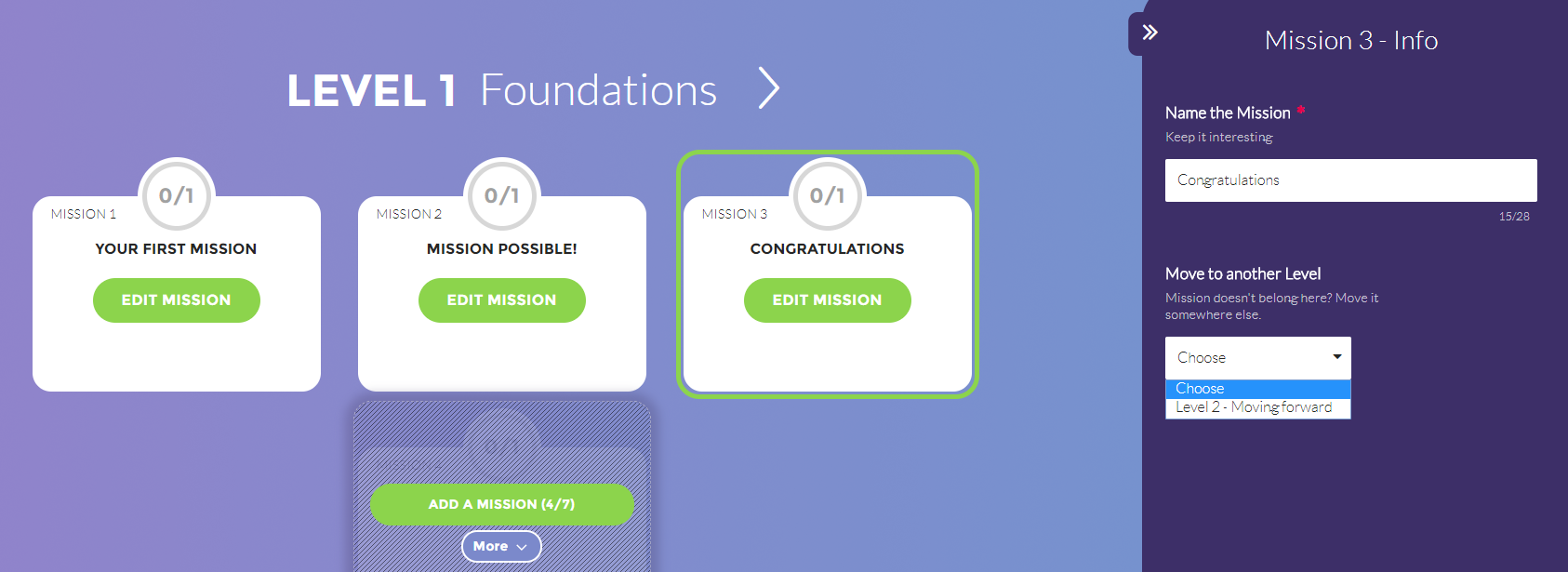
To move a Mission to another Level, click on the Mission (outside of the green button, while viewing it from a Level view), then choose the Level you would like to move it to by selecting the value under “Move to another Level”.
If the "Move to another Level" option is disabled, or if the Level you're trying to move the Mission to doesn't show, it might be a result of one of the following:
- The Level you’re trying to move the Mission to is full (has seven Mission in it already, which is the maximum number of Missions per Level)
- The Level you’re trying to move the Mission from has only one Mission in it, and moving it would leave the Level empty, which is not possible to do. In that case, add another Mission to the Level, then try again.
Check out this video for more information: How to move a Mission between Levels.
Comments
0 comments
Please sign in to leave a comment.